
One link for your audience, with clear referral insights
Share your links and review original referrals, secondary referrals, registered users, and visitors in Affiliate Hub.
Share your public page link across all your channels.
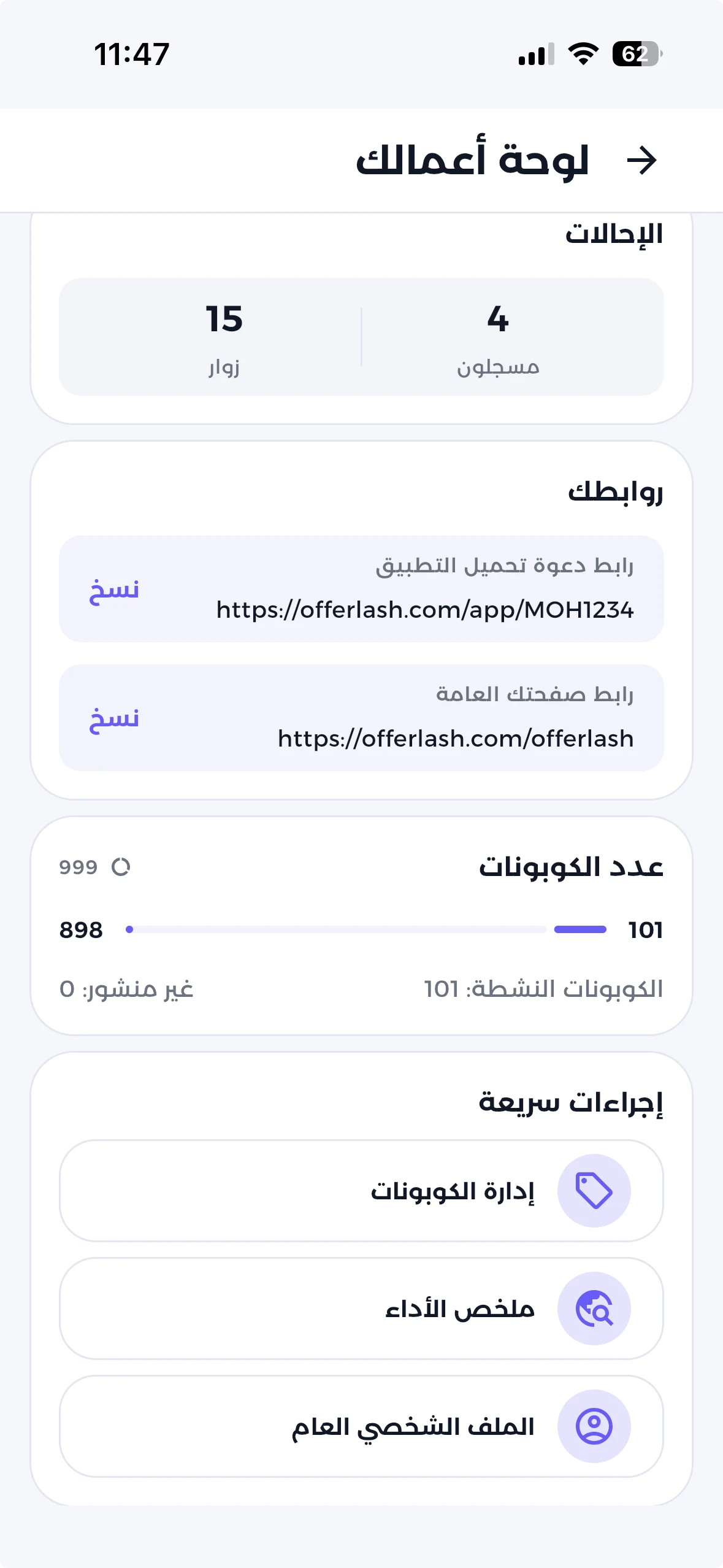
Referral insights
Understand referrals from your links
Track original and secondary referrals, and distinguish registered users from visitors.
Referral groups shown separately
Affiliate Hub reports original and secondary referrals, with registered-user and visitor breakdowns.
What you get
- Compare original and secondary referrals.
- See registered users and visitors separately.
Download the app free and get started
Free • Create your account in under a minute
After sign-up: add your coupons, then share your link.
How referrals are grouped
- Original referrals → attributed directly to your link.
- Secondary referrals → attributed through a secondary referral.
Original referrals
Original referrals include separate registered-user and visitor counts.
- Original referralsRegistered users
- Visitors
Your public page
One page for your name, links, and offers
Show your name, links, and coupons in one clear interface for your audience.
What you get
- Share one link instead of sending scattered links.
- Keep your offers updated without changing the link.
Download the app free and get started
Free • Create your account in under a minute
After sign-up: add your links and coupons, then share your page.
How your public page appears
Demo data for display only
Offerlash@offerlash
My public link
I built a community that looks for the best daily deals for home, beauty, and fashion.
My links
 iHerb15% off
 SHEIN20% off
 NoonFree shipping